Always-Ready Resilience · Microsoft 365 business continuity

Keep working when
Microsoft 365 can't.

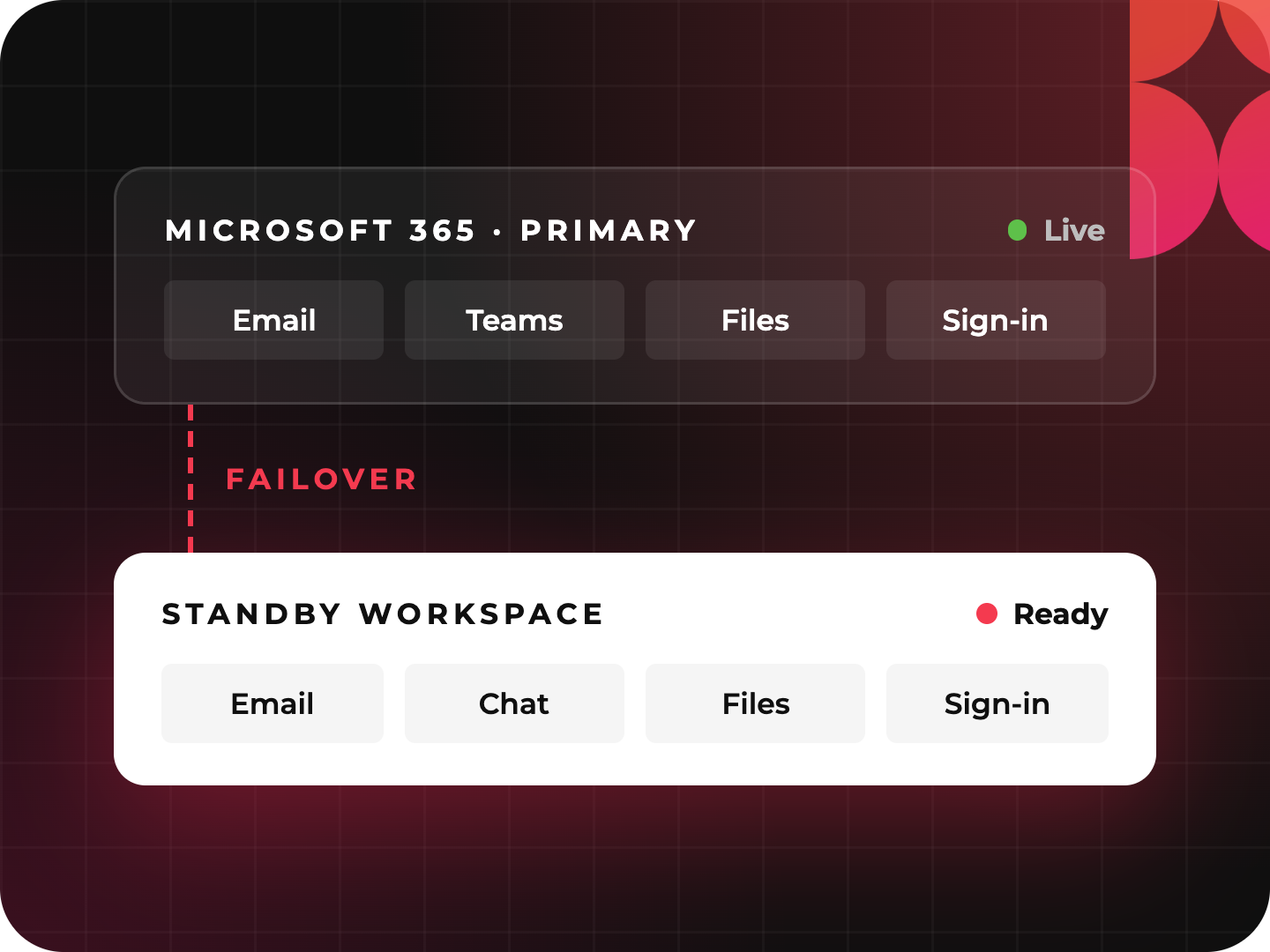
Email, Teams, files, and sign-in share one point of failure. We put a tested standby workspace behind it, set recovery targets you can actually meet, and hand your team the runbook.

What is Microsoft 365 business continuity?

Microsoft 365 business continuity is the ability to keep email, meetings, chat, and files working when Microsoft 365 is unavailable. Causes include a service outage, a ransomware attack, or a compromised identity. It differs from backup. Backup restores data after an incident, and continuity keeps people working during one.

What is Always-Ready Resilience?

Always-Ready Resilience is a Microsoft 365 business continuity and failover service from Wursta. It gives Microsoft 365 organizations a standby workspace, built on Google Workspace for Business Continuity, that staff switch to when Microsoft 365 is down. The service includes a free Discovery Sprint, a four-to-six-week Implementation Sprint, and optional annual managed continuity with a disaster-declaration SLA.

RTO

What is RTO?

Recovery time objective (RTO) is the longest your organization can go without a system before the disruption becomes unacceptable. An RTO of four hours means the plan must restore working email and meetings within four hours.

RPO

What is RPO?

Recovery point objective (RPO) is the most data your organization can afford to lose, measured in time. An RPO of one hour means the plan must never lose more than the last hour of work.

Why Microsoft 365 is a single point of failure

One platform. One point of failure.

"Zero and zero."

What most leadership teams say when asked how long they can be down and how much data they can lose.

Microsoft 365 is how your organization works. It holds your inbox, your meetings, your files, and the identity everyone uses to sign in. That's efficient right up until it isn't. A service outage, a ransomware event, or a compromised admin account can take all of it down together.

Most organizations have backup, so they assume they're covered. Backup protects your data. It doesn't keep your people working while that data is being restored. Your customers still email and your deals still need to close. The phones don't stop ringing because the platform did.

The uncomfortable part: ask most leadership teams how long they can be down and how much data they can lose, and the answer is "zero and zero." No architecture supports that, and no budget does either. Getting to real numbers is the first step toward a plan that works.

Backup vs. disaster recovery vs. business continuity for Microsoft 365

Backup Disaster recovery Always-Ready ResilienceBusiness continuity
Question it answers Can we get our data back? How do we restore our systems? How do we keep working in the meantime?
What it protects Files, mailboxes, and records Infrastructure and applications People and operations
When it helps After data is lost or corrupted After the outage, during restoration During the outage
Keeps email and meetings running during an outage No Not until systems are restored Yes, through a standby environment
Typical deliverable Restorable copies of data A recovery procedure A BCP with defined RTO and RPO, a failover configuration, and a runbook

Backup alone doesn't keep your people working. Always-Ready Resilience adds the continuity layer that sits alongside it.

How Microsoft 365 failover works: Discover, Implement, Maintain

Every stage produces something you can open, run, or hold us to. What you're paying for is the judgment behind it. The documents are how you check our work.

1 Free

Discovery Sprint

We map how your organization runs on Microsoft 365, where a failure would hurt most, and what each team needs to keep going.

What you get A baseline assessment, a business continuity plan design, and defined RTO and RPO targets, in writing.
2 Fixed fee

Implementation Sprint

Over four to six weeks, we configure your standby environment, train your admins and staff, and rehearse the switch.

What you get A working failover configuration, trained people, and a runbook your team owns.
3 Annual contract, optional

Managed Continuity

We test the plan every year, keep the environment current as your organization changes, and stand behind a disaster-declaration SLA.

What you get Annual testing, ongoing maintenance, and a disaster-declaration SLA.

Normal Day

You work in Microsoft 365, exactly as you do now.

Benefits of a tested Microsoft 365 continuity plan

What changes when you're always ready

Real numbers, not "zero and zero."

You get recovery targets your architecture and budget can actually support, agreed with leadership and written down.

Your people keep working.

Email, meetings, and files stay available on a separate environment, so an outage slows you down without stopping you.

No rip and replace.

Microsoft 365 stays your primary platform. Nobody learns a new daily tool. The standby is there for the day you need it.

A plan that's been tested.

A continuity plan nobody has rehearsed is a guess. We test yours every year and fix what the test finds.

Answers for your board, auditors, and insurer.

A documented BCP, defined RTO and RPO, and a disaster-declaration SLA give you something concrete to show when they ask.

Your team runs it.

We train your admins and hand over the runbook. The managed service keeps the plan current, but if you stop it, the plan still works.

Who it's for

For IT leaders and business leaders

01

For IT leaders

Your Microsoft 365 tenant and your Entra ID identity are a single point of failure, and you know it. We stand up a standby workspace on separate infrastructure with its own identity path. That way a tenant outage or a compromised admin account doesn't take your fallback down with it. You get a failover configuration, a declaration procedure, admin training, and a runbook. Annual testing proves the switch works before you need it.

02

For business leaders

You don't need to understand the architecture. You need to know how long you can be down, what it costs you if you are, and whether the plan will hold. The Discovery Sprint answers the first two in writing. The Implementation Sprint and annual testing answer the third. You end up with a plan your board, auditors, and cyber insurer can read, and a team that can carry it out.

03

For smaller organizations without a dedicated IT leader

You don't need to hire a continuity manager. You need one for about six weeks, and then a plan your own people can run. That's what this is.

Documents you can hold us to

What you'll have in hand

a BCDR baseline with RTO and RPO targets
a business continuity plan
a failover configuration
admin training and a runbook
a disaster-declaration SLA

How we work

We install the system, prove it works, and hand it to your team. It's the same fractional-then-handoff model we use across AI transformation, security, and managed services. Our finish line is your team running it without us.

Credentials

Always-Ready Resilience runs on Google Workspace for Business Continuity, licensed and configured by Wursta. We're Google-native by expertise and deliberately tool-agnostic by method. We map the right tool to the work, not the other way around.

Microsoft 365 business continuity FAQ

Doesn't Microsoft's SLA already cover us?

An SLA covers what the provider owes you after an outage, usually service credits. It doesn't keep your people working during one. Continuity is about your business still running while the platform recovers.

We already have backup. Isn't that enough?

Backup protects your data. Continuity protects your operations. You need both. Restoring files doesn't give your team a working inbox or a meeting link while the primary environment is down.

Do we have to move off Microsoft 365?

No. Microsoft 365 stays your primary platform. The standby environment is there for the day you need it and stays out of the way otherwise.

Will our people have to learn a new tool?

Only enough to use it on a bad day. The Implementation Sprint includes training and a short runbook, and annual testing keeps it familiar. Nobody changes how they work day to day.

What does the Discovery Sprint cost, and what's the catch?

It's free. You get a baseline assessment, a BCP design, and defined recovery targets, whether or not you go further. We offer it because the plan is the most valuable part, and it's the part most organizations don't have.

What happens if we stop the managed service?

The plan and configuration are yours, and your team is trained to run them. The managed service keeps everything tested and current as you change. If it stops being worth it, tell us. The system still runs.

Is this a security product?

No. Always-Ready Resilience is built for organizations whose priority is failover and continuity. If continuity is part of a broader security program, ask us about Secure Cloud Foundation, which includes business continuity alongside posture monitoring and vendor risk.

What should we do when Microsoft 365 is down?

First, check the Microsoft 365 service health dashboard to confirm the outage and its scope. With a continuity plan in place, your designated lead declares a disaster and staff switch to the standby workspace for email, meetings, and files, following the runbook. Without a plan, teams often fall back on personal accounts and phone calls, which creates security and record-keeping problems.

What happens to email during an Exchange Online outage?

Without a standby environment, email stops until Microsoft restores service. With Always-Ready Resilience, your team switches to email in the standby workspace so customers and partners can still reach you.

What is a disaster-declaration SLA?

It's a written commitment that sets out who can declare a disaster, how quickly we respond once one is declared, and what happens next. It turns "we'll figure it out" into a procedure with a clock on it.

How long does it take to set up Microsoft 365 failover?

The Implementation Sprint takes four to six weeks after the Discovery Sprint. It covers configuration, training, and enablement.

Find out how long you can really afford to be down.

The Discovery Sprint is free. You'll have a baseline assessment, a continuity plan design, and recovery targets your leadership has agreed to, in writing. Whatever you decide next, the plan is yours.

No cost. No obligation. A written plan either way.